

What is a BOGO Bundle?
A BOGO bundle requires customers to buy one or more “trigger” products to get a discount on one or more “reward” products. Use it for cross-selling, moving inventory, and launching new products. Examples:- “Buy any dress, get a belt 50% off”
- “Buy 2 protein bars, get 1 free”
- “Buy any laptop, get a mouse and keyboard 40% off”
When to use BOGO Bundles
BOGO bundles work best for:- Cross-selling accessories: Main product + complementary accessories
- New product launches: Established product + new product at a discount
- Inventory clearance: Popular product + slow-moving product
- Upselling: Encourage customers to add related products they might not have considered
- Classic BOGO promotions: Buy 1 get 1 free, buy 2 get 1 free, etc.
Creating a BOGO Bundle
1
Select bundle type
From the Bundles page, click Create a bundle and select BOGO.
2
Choose trigger products (Buy)
Select the product(s) customers must purchase. These are the “Buy” products.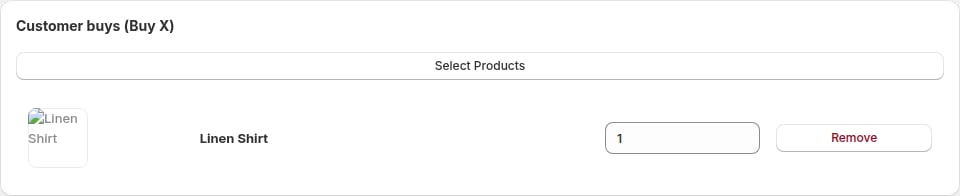
3
Choose reward products (Get)
Select the product(s) customers receive at a discount. These are the “Get” products.
4
Set the discount
Choose the discount customers receive on reward products:
- Percentage discount: E.g., 50% off, 30% off
- Free: 100% off (BOGO free)
5
Name your offer
Use a clear name like “Buy Dress, Get Belt 50% Off” or “BOGO Free: Protein Bars”.
6
Activate
Toggle to Active and click Save.
Choose items from collections
On either Customer buys (Buy X) or Customer gets (Gets Y), select Select collections to use collections instead of specific products. Choose up to 20 collections per side, then set Items the customer buys or Items the customer gets. You can combine a product side with a collection side, or use collections for both. For example, buy any two shirts and get one pair of socks free. Shoppers choose their items from the collections in the widget. The cheapest eligible reward items in the cart receive the discount. If both sides use the same collection, each item counts toward one side: buy two, get one requires three items. Use Change collections to change your selection or Remove collections to return to specific products. Collection membership updates automatically; storefront choices can take up to 10 minutes to refresh.Repeat the deal
A BOGO offer repeats automatically. If “Buy 2, get 1 free” is in a cart with 6 qualifying items, the customer gets 2 items free. To cap this, enter a number in Limit per order under Tiers. Leave it empty to apply the offer for every full set in the cart.Offer cards style
Offer cards is a style for BOGO bundles. Choose it from the style gallery in the bundle editor, or start from the Buy one, get one, Buy one, get one free or Buy 2, get 1 free templates. What shoppers see depends on your offer:- Two cards: shoppers choose between Buy X and Buy X, get Y as image cards, each with its price and your savings. Choosing Buy X adds only the X products to the cart.
- Tiers: if you set Limit per order to 2 or more under Tiers, the deal shows as rows such as Buy 2 + 1 free and Buy 4 + 2 free, up to four sets. Each row shows its price and a savings pill. Choosing a row adds that many sets to the cart.
- Free item row: when the reward is free and there is no limit of 2 or more, the free item appears as its own row under the heading with a Free gift label. The real price is crossed out next to Free.
Bundle settings
Trigger products (Buy)
- Minimum: 1 product
- Maximum: Multiple products can be triggers
- Behavior: Customer must add at least one trigger product to qualify
Reward products (Get)
- Minimum: 1 product
- Maximum: Multiple products can be rewards
- Behavior: Customer receives discount on these when trigger condition is met
Discount on rewards
- Type: Percentage
- Range: 1% to 100% (100% = free)
- Application: Applies only to the reward products
How it appears on your store
Product page widget (on trigger products)
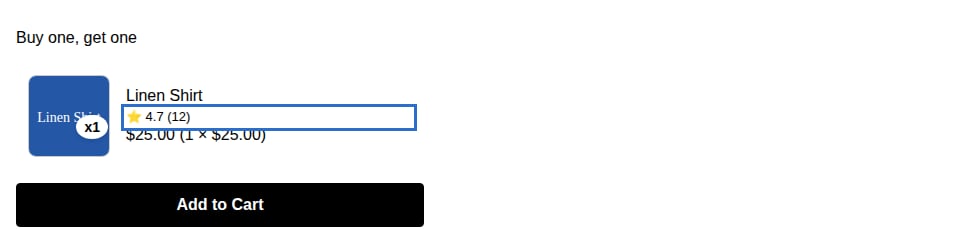
- “Buy this, get [reward product] X% off”
- Images of both trigger and reward products
- Prices before and after discount
- “Add bundle to cart” button
Product page widget (on reward products)
May display:- “Add [trigger product] to get this item X% off”
- Encourages customers to add the trigger product
Cart
When trigger product is in cart:- Discount line item appears when reward product is added
- Clear indication of BOGO offer applied
Cart banner
If customer adds trigger product but not reward product, the banner suggests: “Add [reward product] to your cart and get X% off!”BOGO patterns
Classic BOGO Free
Setup: Buy 1 → Get 1 free (100% off)- Trigger: Product A
- Reward: Same product A
- Discount: 100%
- Result: Buy 2, pay for 1
Buy X Get Y at Discount
Setup: Buy any laptop → Get mouse & keyboard 40% off- Trigger: Any laptop
- Reward: Mouse and keyboard
- Discount: 40%
- Result: Encourages accessory purchases with main product
Buy more, get more
Setup: Buy 2 shirts → Get 1 shirt free- Trigger: Shirt (quantity 2)
- Reward: Same shirt
- Discount: 100%
- Result: Buy 3, pay for 2
Cross-Category BOGO
Setup: Buy any dress → Get belt 50% off- Trigger: Any dress
- Reward: Any belt
- Discount: 50%
- Result: Increases AOV by adding accessories
Best practices
Make the value obvious
Make the value obvious
Use clear language: “Buy this, get that 50% off” or “BOGO Free”. Avoid ambiguous wording.
Pair high-margin rewards with popular triggers
Pair high-margin rewards with popular triggers
Use bestselling or high-demand products as triggers, and high-margin or slower-moving products as rewards. This protects profitability while moving inventory.
Keep it simple
Keep it simple
Simple BOGO offers (1 trigger → 1 reward) convert better than complex ones (3 triggers → 2 rewards at different discounts).
Test discount levels
Test discount levels
50% off is the classic BOGO sweet spot, but test 30%, 40%, and “free” to find what works for your products and margins.
Use BOGO for discovery
Use BOGO for discovery
Pair established bestsellers with new products to drive trial. “Buy bestseller → Get new product 40% off” reduces perceived risk.
Example BOGO Bundles
Fashion
Accessory Upsell: Buy any dress → Get jewelry 40% off
Electronics
Complete Setup: Buy any laptop → Get mouse & webcam 50% off
Beauty
Skincare BOGO: Buy 2 face masks → Get 1 free
Food
Snack Deal: Buy 3 protein bars → Get 1 free
Pricing and profitability
When setting BOGO discounts, calculate your effective margins: Example:- Trigger product cost: $20, Price: $50 (60% margin)
- Reward product cost: $10, Price: $30 (67% margin)
- BOGO offer: Buy trigger, get reward 50% off
- Customer buys trigger only: Revenue $50, Profit $30
- Customer buys trigger + reward at 50% off: Revenue $65, Profit $35
- Result: Higher profit despite discount
Troubleshooting
Discount not applying:- Verify trigger product is in cart
- Ensure reward product is added
- Check that the bundle is active
- Review trigger and reward product selection in bundle settings
- Ensure product variants are correctly configured
- Update bundle name to be explicit: “Buy X, Get Y 50% Off”
- Use widget customization to make the offer clear