

Create a bundle product
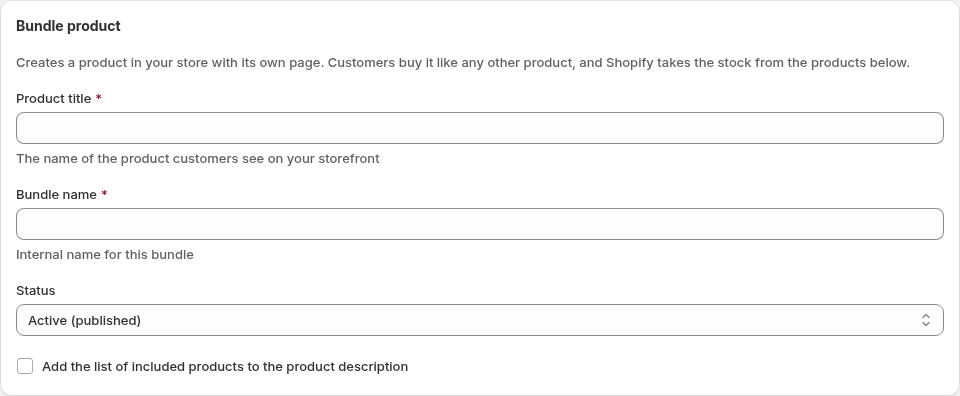
- In the Appfox Bundles app, go to Bundles and select Create bundle.
- Select Create bundle product.
- Enter a Product title. Customers see this on your storefront.
- Enter a Bundle name. This is for your own reference.
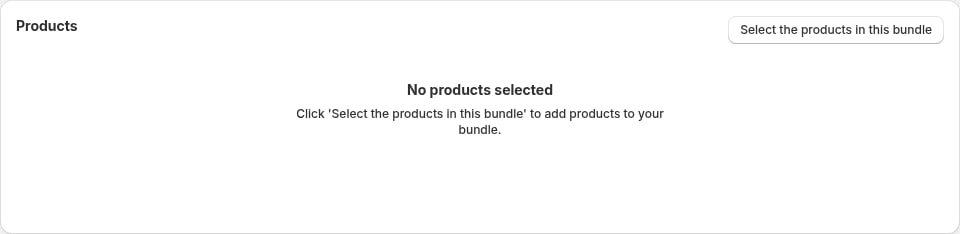
- Select the products that go in the bundle and set the quantity of each. You can use Add from collection to select up to 20 collections at a time and add a collection’s current products, then remove any you do not want. Later changes to the collection do not change the bundle.
- Choose a discount type, either Percentage off, Amount off or Fixed amount per product, and enter the value. With Fixed amount per product, each product in the bundle costs that amount (multiplied by its quantity), so the bundle price is that amount times the number of items.
- Select Create bundle product.
Publish or pause a bundle product
Set Status to Active to publish the product to your Online Store, or Paused to turn it into a draft. If Shopify asks you to approve updated app permissions, approve them so Appfox can publish the product. You can also change the status from the Bundles list. On the product page, the Bundles (product page) app block lists the products included in the bundle. Add that block to your product template if it is not there yet.Things to know
- A bundle product can include up to 30 products.
- The bundle uses the default variant of each product you add.
- The price is set when you save. If you change the price of an included product, open the bundle, make your changes, and select Save in the save bar to refresh it.
- Deleting the bundle in Appfox also deletes its product in Shopify.
- Bulk actions on the Bundles list skip bundle products. Edit them one at a time.
- Customers don’t get a second discount in the cart. The discount is already in the price of the product.