

Connect Loox
1
Install Loox
Install Loox from the Shopify App Store and collect reviews for the products you sell in bundles.
2
Connect in Product Bundles
In Product Bundles, open Settings → Integrations. On the Loox card, click Connect Loox.
loox.avg_rating and loox.num_reviews).
Options after you connect
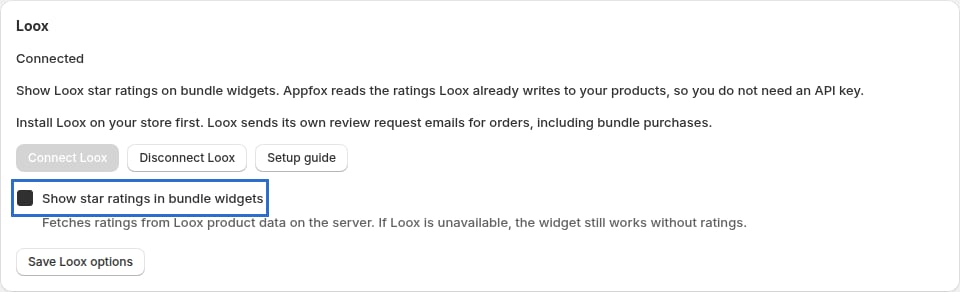
After changing the ratings option, select Save in the save bar.
Use Disconnect Loox to turn the integration off.
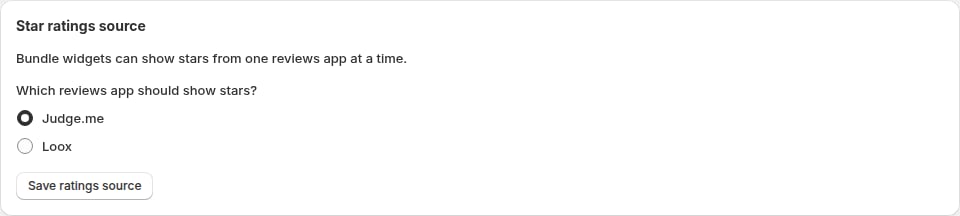
If you also use Judge.me
Review requests
Loox sends its own review request emails for Shopify orders, including bundle purchases. Appfox does not send a second Loox review request.What shoppers see
When star ratings are enabled, Classic, Fixed, Buy One Get One, Mix & Match and Frequently Bought Together widgets show a compact rating next to each product in the offer (for example,4.7 (12)). This uses Loox product data for the Shopify product IDs in the bundle. Products without published reviews show no rating.
Troubleshooting
Ratings do not appear- Check that Show star ratings in bundle widgets is on under Settings → Integrations.
- Make sure the products in the bundle have published reviews in Loox.
- Volume Discount widgets don’t show ratings.
- Ratings are cached for up to an hour, so a newly published review can take a while to appear.
- If Judge.me is also connected, confirm Star ratings source is set to Loox.